RealtySlate feature

Real Estate Agent Onboarding Software

Guide new, experienced, returning, and existing agents through the right company setup without forcing unnecessary steps.

Who it helps

Real Estate Agent Onboarding Software for every authorized role

Give each person the information and actions needed for their part of the process while preserving brokerage oversight.

Company admins

Company admins can build detailed reusable onboarding templates while keeping the underlying activity visible to the right people. Tasks can include license uploads, agreements, MLS setup, association membership, email, CRM, profile, training, and payment information.
Office admins

For Office admins, RealtySlate makes it easier to assign the right checklist for each agent. Agents see the work assigned to them while admins can manage due dates, files, notes, and review status.

Managing brokers

Managing brokers get a focused view for skip or review steps when appropriate, with the supporting records kept inside the same brokerage workflow. Admins choose whether to assign a template and can skip steps that do not apply.

New agents

RealtySlate helps New agents build detailed reusable onboarding templates without opening access to unrelated company information. Tasks can include license uploads, agreements, MLS setup, association membership, email, CRM, profile, training, and payment information.

Core capabilities

What RealtySlate helps your brokerage manage

These tools are included in the connected RealtySlate platform and use the same company, office, team, and user permissions.

Build detailed reusable onboarding templates

Tasks can include license uploads, agreements, MLS setup, association membership, email, CRM, profile, training, and payment information.

Assign the right checklist for each agent

Agents see the work assigned to them while admins can manage due dates, files, notes, and review status.

Skip or review steps when appropriate

Admins choose whether to assign a template and can skip steps that do not apply.

Connected workspace

See real Estate Agent Onboarding Software in the context of daily brokerage work

Guide new, experienced, returning, and existing agents through the right company setup without forcing unnecessary steps. RealtySlate keeps the work connected to the people, records, deadlines, files, financial details, and reporting that surround it.

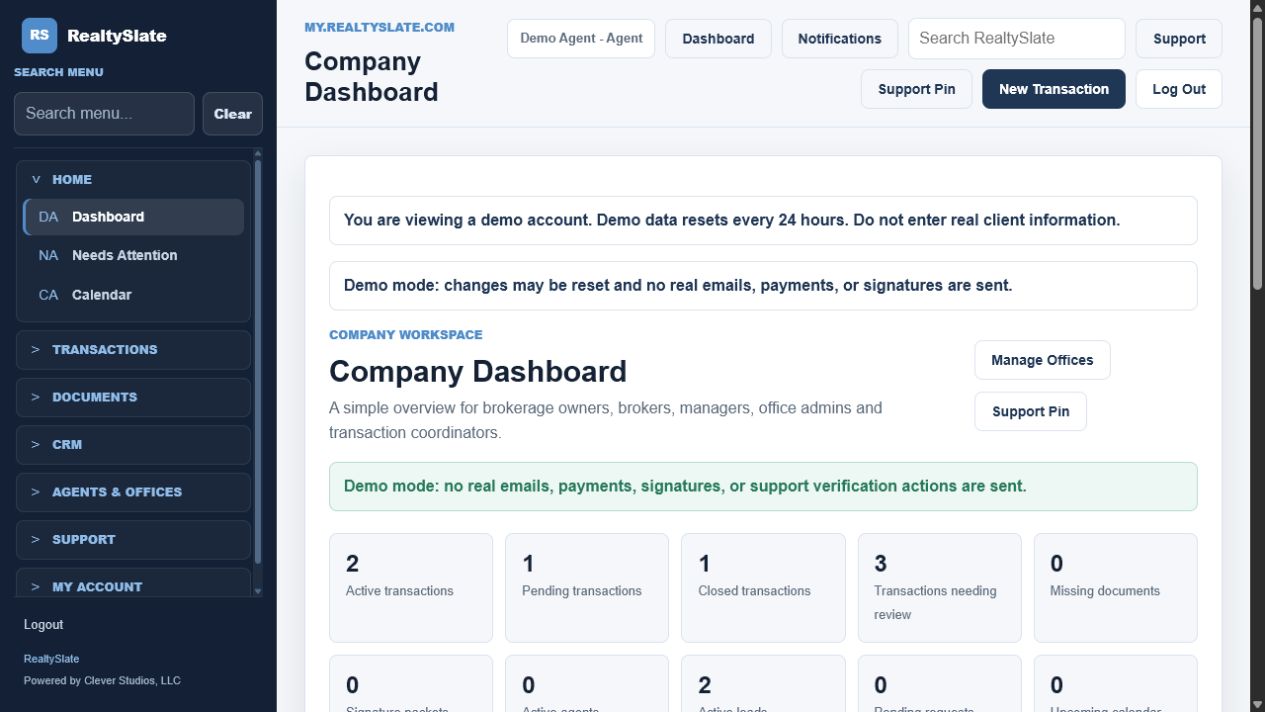
Real Estate Agent Onboarding Software inside the RealtySlate real estate brokerage software dashboard
Explore a prepared brokerage workspace with sample users, transactions, documents, leads, and operational activity.

Detailed workflow

How real Estate Agent Onboarding Software works in RealtySlate

RealtySlate keeps the complete workflow searchable and permission-aware, so authorized users can understand the current status without reconstructing the history from email or separate software.

The same record can move through related transaction, document, signature, compliance, commission, billing, CRM, office, team, and reporting tools without entering the underlying information again.

Typical process

1Choose or build a templateStart with choose or build a template. Tasks can include license uploads, agreements, MLS setup, association membership, email, CRM, profile, training, and payment information.
2Assign it to the agentContinue with assign it to the agent. Agents see the work assigned to them while admins can manage due dates, files, notes, and review status.
3Complete and review tasksKeep momentum with complete and review tasks. Admins choose whether to assign a template and can skip steps that do not apply.
4Track progress to completionFinish with track progress to completion. Tasks can include license uploads, agreements, MLS setup, association membership, email, CRM, profile, training, and payment information.

Related capabilities

Continue through the connected brokerage workflow

RealtySlate feature areas share authorized records so the next step begins with the information already collected.

Frequently asked questions

Questions about real Estate Agent Onboarding Software

What does Real Estate Agent Onboarding Software include?

Guide new, experienced, returning, and existing agents through the right company setup without forcing unnecessary steps. Tasks can include license uploads, agreements, MLS setup, association membership, email, CRM, profile, training, and payment information. Agents see the work assigned to them while admins can manage due dates, files, notes, and review status. Admins choose whether to assign a template and can skip steps that do not apply.

Who uses Real Estate Agent Onboarding Software?

RealtySlate supports Company admins, Office admins, Managing brokers, and New agents with access controlled by company, office, team, role, and individual permissions.

How does Real Estate Agent Onboarding Software connect with the rest of RealtySlate?

The feature shares authorized company records with related RealtySlate workflows, including Real Estate Recruiting Software for Brokerages, Real Estate Back Office Software for Modern Brokerages, Security and Audit Logs for Brokerage Operations.

See RealtySlate in action

See how Real Estate Agent Onboarding Software fits your brokerage.

Explore the free demo now or request a guided walkthrough for your brokerage.